Feature
Jobs & WorksheetsComing soon
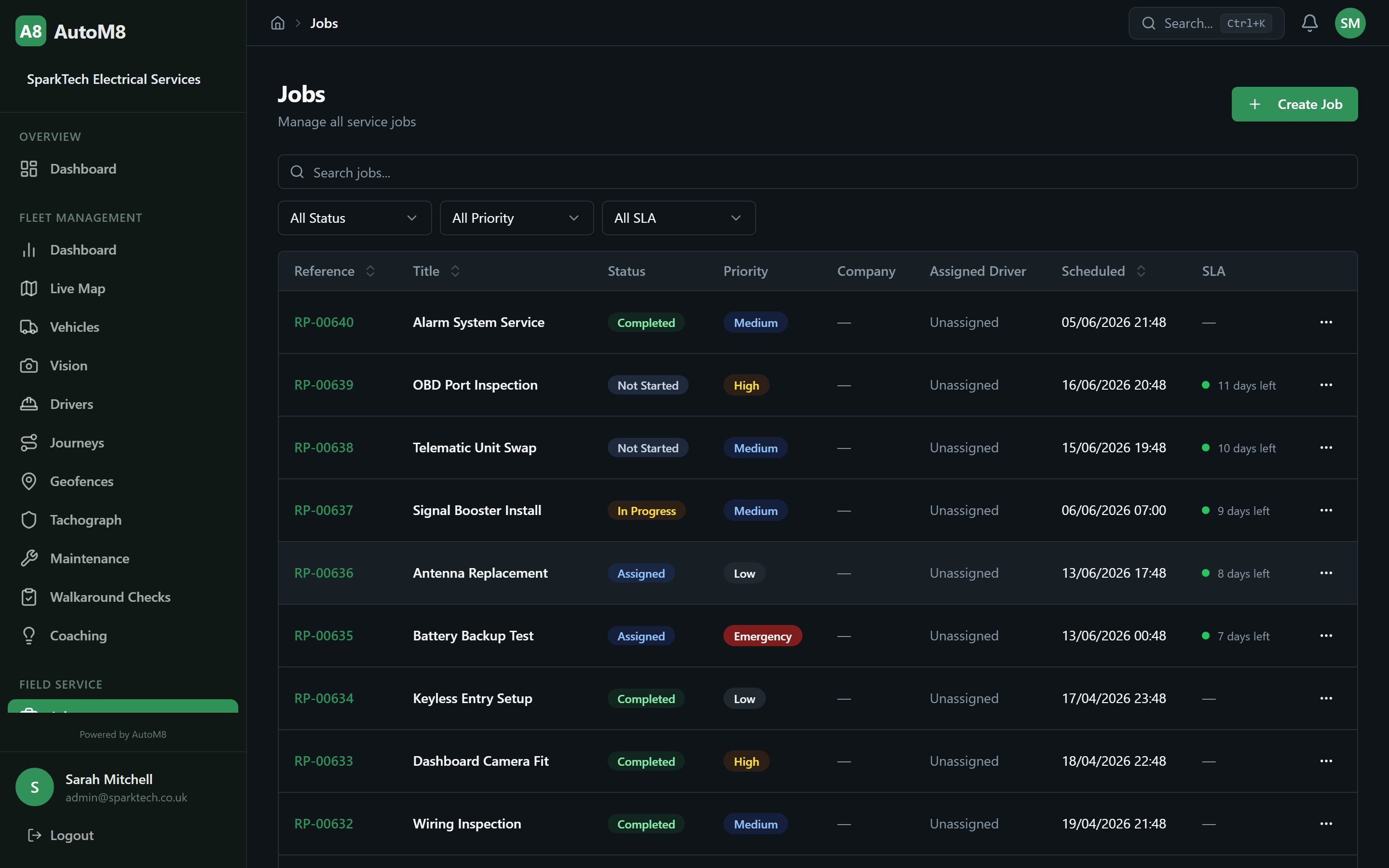
A job moves through a set of states that fit its type. The engineer fills in a worksheet on the phone, adds photos and gets a signature on site, and all of it stays attached to the job.
What it does
Keep the work, the worksheet, the photos and the signature together.
Hand over a finished job that can be invoiced straight away.
Generate the certificate the job needs, without a separate template app.
Run a recurring contract without keying it in again each visit.
A scenario to try
An annual service visit on a maintenance contract
Ask a demo to play this visit through. The visit appears on the engineer's phone on the date the contract cycle sets. He works through the worksheet for that job type, attaches photos of the panel and has the customer sign on screen.
The certificate is produced from the completed worksheet. When the job closes, the next visit is already scheduled on the cycle, and the earlier worksheets and photos remain to look back on.
How it works
- Jobs move through a defined set of states, so a job can only follow the steps that make sense for its type.
- Each job type has its own worksheet template. Engineers complete it on the phone with photos and an on-site signature.
- Certificates are generated from the completed worksheet.
- Recurring jobs are scheduled automatically on the cycle you set, and the worksheets and history are kept.
Job lifecycleCustom worksheetsPhotos & signaturesRecurring contracts
Who it suits
Trades and installers who leave paperwork behind on every visit: electrical contractors, security and alarm installers, service teams on maintenance contracts. It is a poor fit for a business whose jobs need no record at all.
Coming soon
Not live yet. Job management is part of the Complete plan, which has not launched, so treat the above as something to see in a demo.
Worth asking in a demo
- How worksheet templates are built for your job types
- How certificate templates work
- How the job status workflow is set for each type
Related features
- Scheduling & Dispatch - Decides who attends the job before the worksheet opens.
- Financial & Invoicing - Takes the completed job through to the bill.
- CRM - Holds the history of every job at a customer's site.